
Transforming Your Dispensary: The Ultimate Guide to Digital Cannabis Dispensary Menus
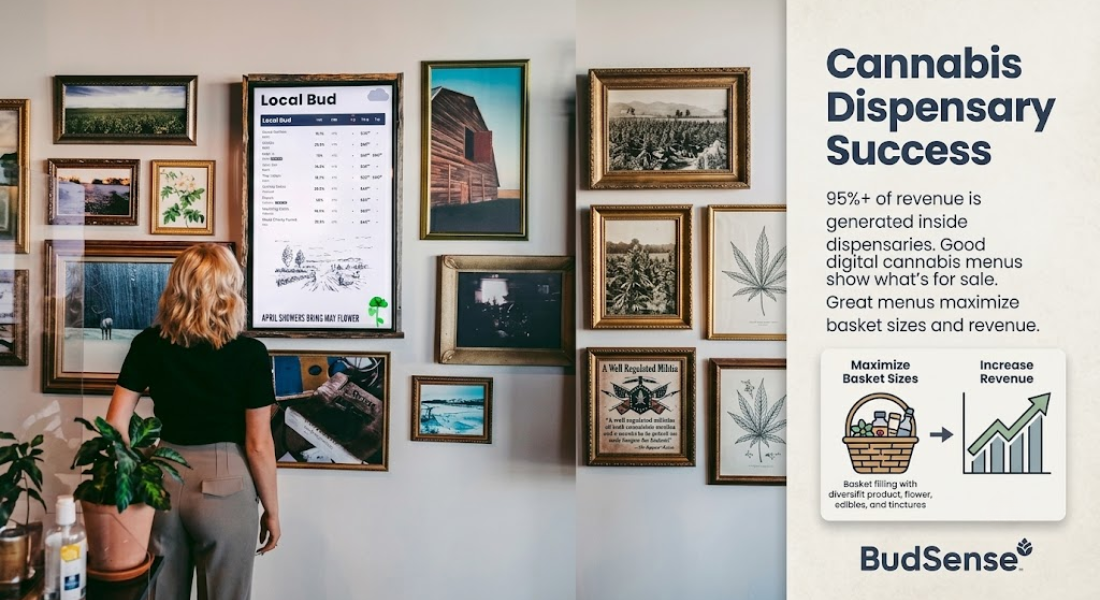
The modern cannabis retail landscape requires more than just high-quality products on your shelves; it demands an engaging, seamless, and transparent in-store experience. Gone are the days when static chalkboards or constantly reprinted paper flyers could keep up with fast-moving inventory. Today, successful store operators are turning to advanced solutions like Digital Cannabis Dispensary Menus to revolutionize how they communicate with shoppers. By replacing manual updates with dynamic screen displays, dispensaries can ensure that their product offerings, pricing details, and categories are always clear, accurate, and visually compelling.
Are Your Current Physical Boards Falling Behind?
As store operators, you work hard to curate quality cannabis products. But are your printed boards doing the same? Gone are the days where a chalkboard or something printed daily was enough to keep up with your inventory. Many stores have found success by utilizing Digital Menu Boards.
Digital menu boards allow you to put your menu on a screen. From there, you can easily edit categories, pricing, and products–all without worrying about hiding your employee’s desk with piles of paper.
Fading Fast: Why Old-School Menu Boards Don’t Cut It
An efficient store manager wants to spend as little time in the back office and as much time on the floor as possible. Updating heavy-duty printers or slide show managers isn’t efficient for your staff or your customers. Having to change pricing, numbers, and descriptions by hand means spending unnecessary time creating spreadsheets and printing price lists.
Take one scenario: A customer looks at your menu board on the sales floor. They walk up to the counter and are asked if they would like to purchase the product they’re holding. The customer replies with “yes” only for the clerk to tell them it sold out hours ago.
Fortunately, there’s a better way. Welcome to digital.
Digital Displays: Your Lists Can Change…And Auto-Sync!
Say goodbye to redundant tasks by automating your menu boards with your point-of-sale (POS) system. Integrating your display screens allows your products and menus to instantly update whenever something is changed.
-
Remote Updating: Have a product run out? It can be programmed to delete itself from the board so you won’t tempt customers with something that isn’t available.
-
Pricing Updates: Pricing, daily deals, and happy hours can autofill on each screen whether you’re in the store or across the world.
Unlike traditional paper boards, your menus can stay updated regardless of where you are in the world. Simplify your management teams’ workload and allow them to focus more on customer care.
Could Digital Menu Boards Work for My Store?
Thinking about sprucing up your retail space but not sure where to start? Don’t worry—we’ve got you covered. Our digital menu boards were specifically designed to support common retailer questions.
Concerns & Matching Search Terms
Do cannabis dispensaries menus change everyday?
All the time. Whether it’s due to sold out products, new shipments, or happy hour deals–inventory is always changing. To prevent downtime between your back-end software and physical menu board, many shops utilize technology that alerts them when a change has been made.
Consistently monitoring cannabis menu changes can improve how you manage your inventory. Not only will you be able to track top-selling products, but you can ensure your menu board is aligning with what’s available in-store.
How do dispensaries track menu changes?
Display screens allow you to track cannabis menu changes at your fingertips. Many digital menu softwares allow operators to view alerts directly from their phone or remote device. Whether you need to menu down a product or push out a new menu board across all locations, control is now at your fingertips.
I want my customers to know exactly what they’re buying. How can I manage my customers’ expectations of strength?
Communication is key. Rather than making your customers guess, provide your customers with an easy-to-read menu that lists key information.
Adding data tabs, categories, and information badges to your menu board is a great way to keep your customers educated when making purchases. Giving your customers the ability to research products while they’re still on the sales floor will decrease line-bottlenecks at the register and ensure your customers are buying what they want to buy.
Selling Cannabis? Make Sure You’re Also Selling Atmosphere
Using pre-made descriptions and photos to sell your products isn’t enough to captivate customers. When managing your digital menus, think about using themed layouts, your brand’s color scheme, and high-resolution photos to promote specific cultivators or sales.
While your products should be the star of the show, your menu boards are what set the stage for your sales floor. Transform your average product board into a high-definition display that sells your store’s atmosphere once customers step through the door.
Conclusion
Today, we use our phones to order groceries, ride share, and eat restaurant food. Not having digital menu boards is like refusing to give your customers what they’ve grown accustomed to.
When paired with the right software, menu boards can help you improve efficiency and gain a better understanding of your inventory. To learn more about how you can revolutionize the way you display your store’s merchandise, visit BudSense website.
Frequently Asked Questions
1. What connects my digital menu boards to my inventory?
Our digital menu boards connect directly to your POS system. Every time a product is added, edited, or sold-out, your boards will automatically update to reflect those changes.
2. Can I schedule menus to change during happy hours or specific times of the day?
Absolutely! Not only can you customize your menus to update during certain days or times, but you can also schedule specific banners to promote sales or discounts.
3. Will I need to purchase new hardware? / Is my current hardware compatible with digital menu boards?
Specialized hardware isn’t necessary. Most digital menu software is compatible with commercial TVs and streaming media devices.
4. How can I manage multiple locations with one dashboard?
Yes! Our menu platform allows you to push menu changes across all store locations simultaneously. Managing multiple locations just got a whole lot easier.
- Business
- Technology
- Finance
- Health
- Fashion
- Lifestyle
- Travel
- Food
- Education
- Real Estate
- Automobile
- Entertainment
- Sports
- Pets
- Home Decor
- Gardening
- Parenting
- Wedding
- Beauty
- Gaming
- Photography
- Music
- Movies
- News
- Politics
- Religion
- Astrology
- Law
- Insurance
- Jobs
- Freelancing
- Remote Work
- Blogging
- E-commerce
- WordPress
- OpenCart
- Social Media
- Graphic Design
- Web Design
- Programming
- Mobile Apps
- Artificial Intelligence
- SaaS
- Cyber Security
- Cloud Computing
- Hosting
- SEO
- Content Writing
- Email Marketing
- Affiliate Marketing
- YouTube
- Podcasting
- Interior Design
- DIY
- Crafts
- Art
- Architecture
- Environment
- Agriculture
- Animals
- Fishing
- Hunting
- Survival
- Outdoor
- Fitness
- Yoga
- Meditation
- Mental Health
- Skin Care
- Hair Care
- Makeup
- Jewelry
- Sarees
- Salwar Kameez
- Lehenga Choli
- Kurtis
- Men Fashion
- Women Fashion
- Kids Fashion
- Footwear
- Bags
- Watches
- Luxury
- Shopping
- Coupons
- Electronics
- Smartphones
- Laptops
- Tablets
- Cameras
- Home Appliances
- Kitchen
- Furniture
- Cleaning
- Baby Care
- Senior Care
- Relationships
- Self Improvement
- Motivation
- Quotes
- Festivals
- Events
- Careers
- Remote Work
- Productivity
- Wholesale
- Manufacturing
- Import Export
- Logistics
- Supply Chain
- Human Resources
- Customer Service
