
What Actually Happens if You Skip Using a Starlink Alignment Tool?
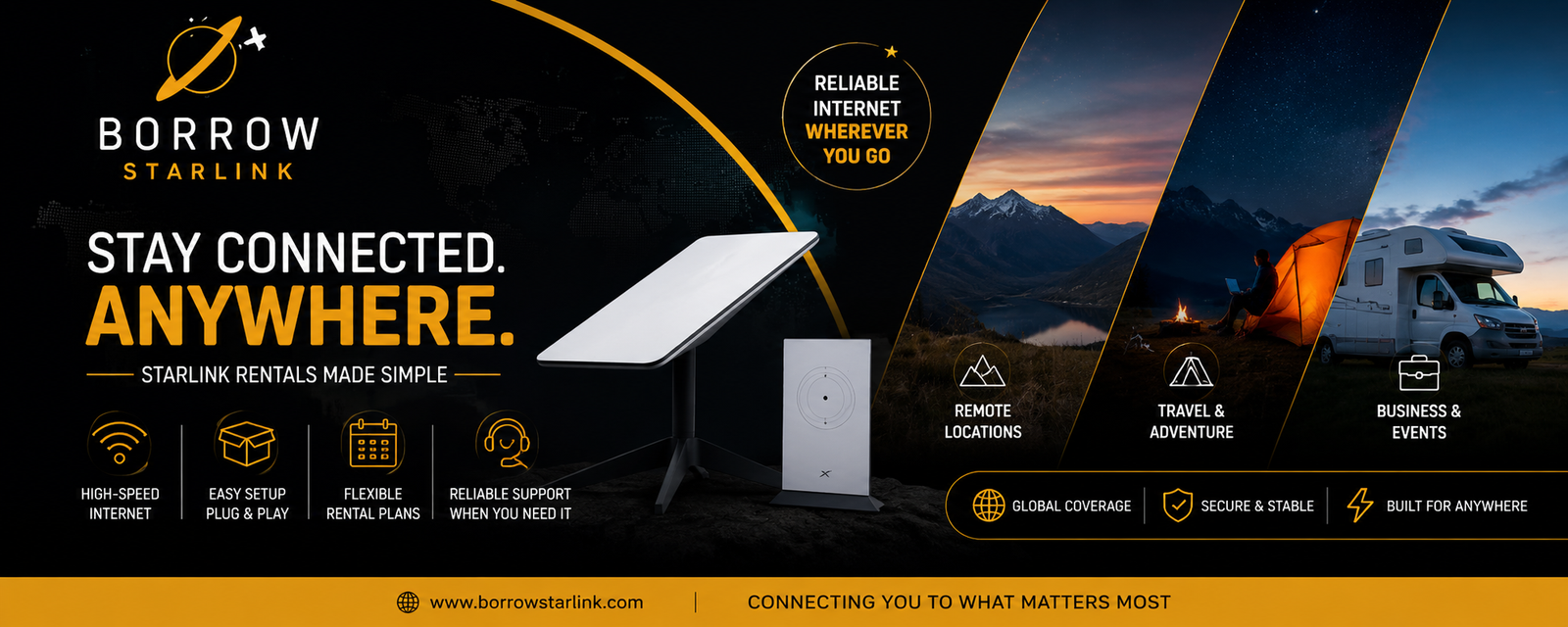
Some people wonder what actually happens if you skip using a Starlink alignment tool altogether, whether the dish just won't connect, or if it truly doesn't matter one way or the other. It's a natural thing to worry about before setup, especially since the box doesn't include a compass or leveling gauge, and there's nothing that clearly tells you extra gear is even an option.
The reassuring answer is that skipping an alignment tool changes nothing for the vast majority of setups, because there's usually nothing to skip in the first place. Starlink dishes are built to aim themselves using internal motors and an antenna that steers its signal electronically rather than mechanically. What actually determines whether your setup works has far more to do with where the dish sits than with any tool you did or didn't use.
What the dish is doing whether you use a tool or not
Older satellite dishes had to be mechanically locked onto one exact point in the sky and stay there. Starlink works differently because it relies on a phased array antenna, electronically shifting its signal across a wide field of view instead of staying fixed on a single spot. That lets it track multiple satellites moving overhead at once instead of depending on just one. The round dish and the newer flat, high-performance versions also include small motors that tilt the unit into a rough starting position the moment it powers on, completely independent of anything you bring to the setup.
During setup, the app has you place the dish somewhere with a reasonably open view of the sky, then it uses your phone's camera to scan for obstructions like trees, roof edges, or nearby buildings before finishing calibration automatically. This happens the same way whether or not you have a separate tool sitting nearby. That part of the process is genuinely automatic by design.
So when would skipping a tool actually matter?
The confusion usually comes from treating two separate things as one: the dish's automatic aiming, which happens regardless, and your decision about where to physically place it, which a tool can sometimes help with. There are a few situations where skipping a tool could genuinely cost you time.
If your setup location has a difficult horizon, like a yard boxed in by trees or buildings, or a spot sitting low in a valley, skipping any kind of directional check means you're relying entirely on trial and error to find a workable spot. In the northern hemisphere, satellites are generally concentrated toward the northern and overhead sky, and that reverses south of the equator, so even a basic compass check can save you from a wasted setup attempt.
For anything semi-permanent, like mounting on an RV roof, a boat, or an off-grid cabin, skipping a basic inclinometer or angle-finder app means you might not discover a clearance problem until after the mount is already in place. That's not the dish failing to align, it's a placement mistake that a quick check could have caught earlier.
And for setups where the sky view keeps shifting, tucked next to an awning, under patchy tree cover, or moved between spots often, skipping a signal-strength or obstruction-mapping tool just means relying entirely on the app's obstruction map, which works but can take longer to zero in on the ideal spot.
What you're not missing by skipping a tool
It's worth being clear about what a tool would not have added. The official Starlink app already runs its own obstruction scan using your phone's camera before setup finishes, and once connected, it shows a live signal quality reading along with a record of any downtime. Skipping a separate tool doesn't mean skipping this step, since it happens automatically either way. Most of what people assume a tool would catch, the app already catches on its own.
Why this distinction matters even if you skip a tool entirely
Once you understand that aiming happens automatically regardless of any tool, the real question becomes whether your placement decision was a good one. Instead of worrying about missing gear, the more useful habit is walking your setup area, looking straight overhead, and slowly scanning the horizon for anything tall nearby before the dish is even plugged in. That single step matters far more than whether a specialized tool was involved at all.
Does the dish model change what you're missing?
Not really. The standard round dish, the rectangular high-performance version, and the newer flat panels all rely on the same phased array steering and the same automatic obstruction scanning through the app, whether or not any extra tool was used. The high-performance model just has a wider field of view and handles marginal conditions, like light snow or a partially blocked horizon, a bit better on its own.
Renting means less depends on any tool at all
If you're renting Starlink equipment rather than buying it, skipping a specialized alignment tool matters even less, since most providers walk customers through ideal placement ahead of time and will troubleshoot over the phone if the location turns out to be tricky. That takes a lot of the guesswork out of the equation regardless of what gear you personally own.
What actually matters more than any tool
- Confirm the most open sky view available; even one tall tree or roofline can cause repeated dropouts.
- Favor a clear northern and overhead view in the northern hemisphere, and the opposite south of the equator.
- Elevate the dish above fences, vehicles, or low rooflines whenever possible.
- Run the obstruction scan at the time of day you'll actually be using the internet most.
- If dropouts continue even after the app marks the area clear, try shifting the dish a few feet before assuming the whole spot won't work.
Bottom line
Skipping a Starlink alignment tool changes very little for most setups, since the dish's own motors and the app's obstruction scanning already handle the technical side of aiming automatically. What actually matters is placement, choosing a spot with a clear sky view, and adjusting if the app flags obstructions. If you're renting short-term, your provider's setup guidance covers most of what a tool would have helped with anyway. And for a permanent install, a basic compass check and a few minutes reading your horizon will do more for your connection than any specialized alignment tool ever could.
- Business
- Technology
- Finance
- Health
- Fashion
- Lifestyle
- Travel
- Food
- Education
- Real Estate
- Automobile
- Entertainment
- Sports
- Pets
- Home Decor
- Gardening
- Parenting
- Wedding
- Beauty
- Gaming
- Photography
- Music
- Movies
- News
- Politics
- Religion
- Astrology
- Law
- Insurance
- Jobs
- Freelancing
- Remote Work
- Blogging
- E-commerce
- WordPress
- OpenCart
- Social Media
- Graphic Design
- Web Design
- Programming
- Mobile Apps
- Artificial Intelligence
- SaaS
- Cyber Security
- Cloud Computing
- Hosting
- SEO
- Content Writing
- Email Marketing
- Affiliate Marketing
- YouTube
- Podcasting
- Interior Design
- DIY
- Crafts
- Art
- Architecture
- Environment
- Agriculture
- Animals
- Fishing
- Hunting
- Survival
- Outdoor
- Fitness
- Yoga
- Meditation
- Mental Health
- Skin Care
- Hair Care
- Makeup
- Jewelry
- Sarees
- Salwar Kameez
- Lehenga Choli
- Kurtis
- Men Fashion
- Women Fashion
- Kids Fashion
- Footwear
- Bags
- Watches
- Luxury
- Shopping
- Coupons
- Electronics
- Smartphones
- Laptops
- Tablets
- Cameras
- Home Appliances
- Kitchen
- Furniture
- Cleaning
- Baby Care
- Senior Care
- Relationships
- Self Improvement
- Motivation
- Quotes
- Festivals
- Events
- Careers
- Remote Work
- Productivity
- Wholesale
- Manufacturing
- Import Export
- Logistics
- Supply Chain
- Human Resources
- Customer Service
